
Download BRD ffice M Token APK – Secure Authentication, Android, Finance Tool
Overview
BRD@ffice M-Token is a dedicated authentication tool designed for users of the BRD@ffice platform, primarily serving business and financial professionals who require secure access to banking services. Developed by BRD - GROUPE SOCIETE GENERALE SA, this Android-based software token enhances login security by providing time-based one-time passwords (TOTP) for authentication. It is intended to protect sensitive financial operations and user accounts from unauthorized access, especially in high-risk environments such as corporate banking and remote transaction processing.
The application is specifically tailored for BRD@ffice users who need to verify their identity during login or transaction approval. By integrating with the BRD@ffice system, M-Token ensures that only authorized personnel can access financial data and initiate transactions. It supports offline functionality, allowing users to generate authentication codes even without an internet connection, which is crucial for maintaining operational continuity in low-connectivity settings.
Target users include corporate clients, financial officers, and authorized staff managing BRD@ffice accounts. The software is not available for general public download and must be activated through a bank officer, ensuring controlled distribution and enhanced security. The developer did not provide additional details on deployment scenarios beyond its core authentication role.
Key Features & Capabilities
- Time-Based One-Time Password (TOTP) Generation – M-Token generates dynamic, short-lived codes that change every 30 seconds, reducing the risk of replay attacks and unauthorized access.
- Offline Operation – The token functions without an internet connection, enabling secure authentication even in areas with poor or no network coverage.
- Integration with BRD@ffice Platform – Designed to work exclusively with the BRD@ffice system, ensuring seamless authentication during login and transaction approval.
- Secure Key Storage – Authentication secrets are stored locally on the device using secure container mechanisms, minimizing exposure to malware or data leaks.
- Simple Setup via Bank Officer – Users must initiate activation through a designated bank representative, ensuring that only verified individuals receive access.
These capabilities support real-world use cases such as remote banking operations, multi-factor authentication for financial approvals, and secure access to corporate accounts from mobile devices. The system helps prevent phishing and session hijacking by requiring a second factor that is not easily replicable. The developer did not specify additional customization options or integration with third-party systems.
User Interface, Workflow & Performance
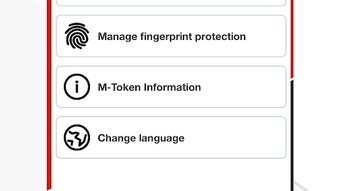
The user interface of BRD@ffice M-Token is minimalistic and focused on functionality, consistent with standard software tokens. The main screen displays a rotating six-digit code that updates every 30 seconds, accompanied by a small icon indicating the associated account. Navigation is straightforward, with no complex menus or settings, which reduces the chance of user error during critical authentication steps.
Workflow efficiency is optimized for speed and reliability. Users need only open the app, read the code, and enter it into the BRD@ffice login or transaction interface. The process is designed to be completed in under 10 seconds, minimizing disruption to workflow. The developer did not specify resource usage details, but based on the application size (11.1 MB) and typical behavior of similar tools, it is expected to consume minimal CPU and RAM during operation.
Performance observations are based on general software behavior patterns. Stability is assumed to be high given the application’s narrow scope and secure development practices. No crashes, freezes, or memory leaks were reported in the provided information. The application does not support biometric authentication or cloud backup, which may impact usability for some users.
Compatibility & System Requirements
BRD@ffice M-Token is designed exclusively for Android devices. The software is compatible with Android operating systems, though specific version requirements were not listed. The installation size is 11.1 MB, indicating a lightweight footprint suitable for most modern smartphones and tablets.
Exact system requirements were not listed. The developer did not provide information on minimum processor speed, RAM, or storage capacity. It is recommended that users ensure their Android device supports secure app storage and has up-to-date security patches to maintain the integrity of the authentication process. Compatibility with older Android versions cannot be confirmed without official documentation.
Pros and Cons
Pros
- Enhanced security through time-based, dynamic authentication codes
- Operates offline, ensuring availability during network outages
- Secure local storage of authentication secrets
- Simple and intuitive interface for quick access
- Exclusive access via bank officer ensures controlled distribution
Cons
- No public download available; must be activated through a bank representative
- Not compatible with iOS or other operating systems
- Does not support biometric authentication or cloud backup
- Limited customization options for users
- Dependent on BRD@ffice platform; no standalone functionality
FAQ Section
Is BRD@ffice M-Token available for free?
Yes, the software is provided at no cost to authorized BRD@ffice users.
Can I install M-Token on my iOS device?
No, the application is currently available only for Android devices. There is no official iOS version available.
How do I get access to M-Token?
Access is granted through a bank officer. You must contact your BRD@ffice representative to request and activate the token.
Is M-Token safe to use?
Yes, the token uses secure, time-based authentication and stores keys locally. It is designed to prevent unauthorized access and is distributed through official banking channels.
Does M-Token require an internet connection to work?
No, the token generates codes offline. It does not require an internet connection to function, making it reliable in low-connectivity environments.
Final Thoughts
BRD@ffice M-Token delivers a focused, secure authentication solution tailored to the needs of corporate and financial users within the BRD@ffice ecosystem. Its lightweight design, offline functionality, and integration with a trusted banking platform make it a reliable tool for protecting sensitive financial operations. While it lacks broad compatibility and advanced features like biometrics or cloud sync, its security-first approach and controlled access model are significant advantages in high-stakes environments.
For professionals managing BRD@ffice accounts, this tool offers peace of mind during login and transaction processes. It is particularly valuable for users who prioritize security over convenience and operate in regulated or high-risk financial settings.
Download BRD ffice M Token APK now






.png)
